
Vulcan OS features
The operating system for heat treating shops.
Vulcan OS replaces the spreadsheets, paper travelers, and disconnected tools that run most shops today. Quoting, work orders, live production tracking, quality data, certifications, shipping, invoicing, maintenance and reporting all live in one web-based system, so everyone from the front office to the furnace floor works from the same, up-to-date information.
New: a built-in AI assistant for your whole team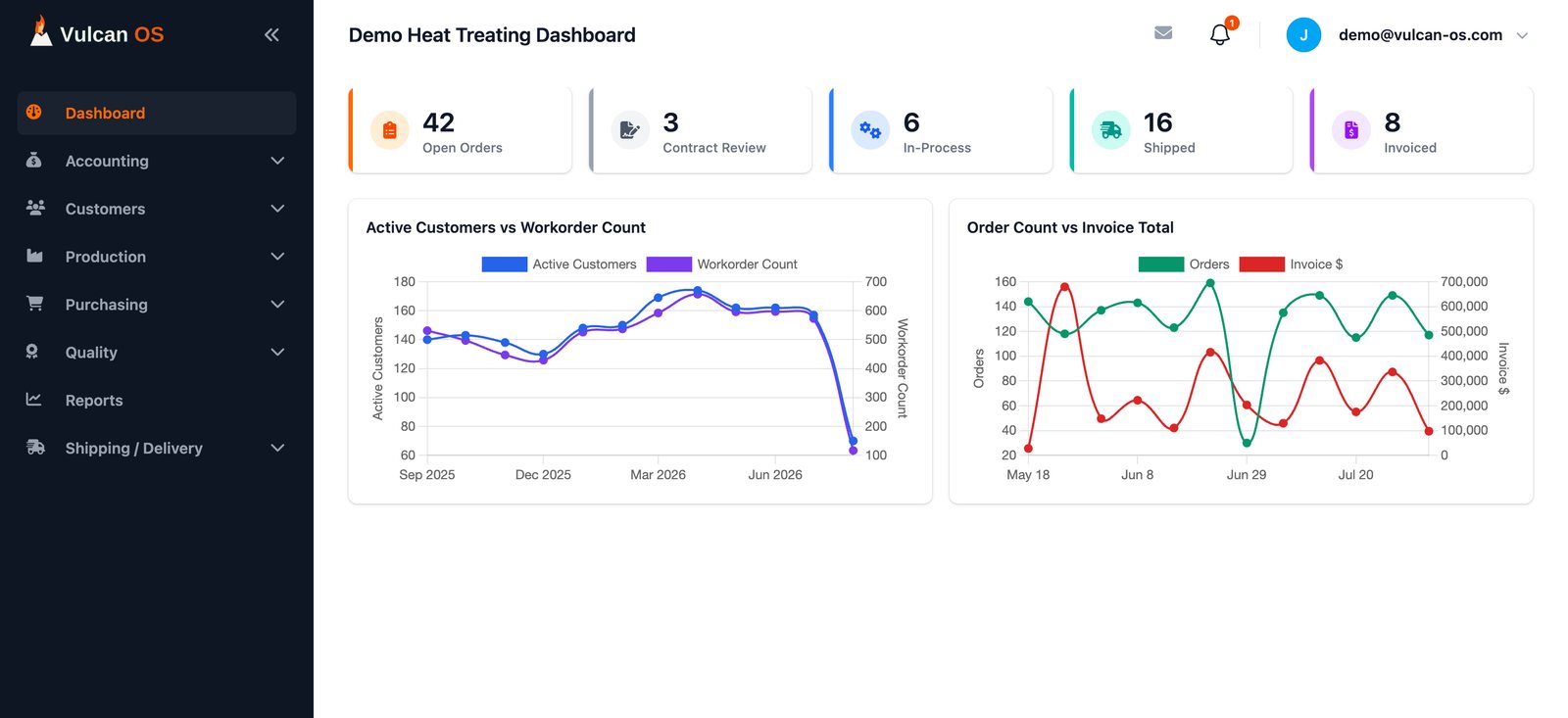
New: AI shop assistant
Just ask Vulcan OS.
A help assistant is built into every screen. Anyone on your team, from the office to the floor, can ask a question in plain English and get an answer in seconds, without digging through menus or tracking someone down.
- How-to help, step by step
- Ask how to do anything in Vulcan OS, like turning a quote into a work order, and get the exact buttons and steps.
- Live answers about your work orders
- Status, where each batch is in its routing, what's blocking a step, and what's on hold or ready to ship.
- Safe by design
- Read-only: it looks things up but never changes your data, and it only ever sees your own company's records.
What's on hold for Spinka?
Finding On Hold work orders for Spinka…
Spinka-O'Keefe Co. has one work order on hold: WO 200021 (PO-10010, qty 142), at step 1, Contract Review. To release it, open the work order, click Edit and change the Status.
Why can't I end Hardness Inspection on 200034?
Looking up WO 200034…
Batch 200034-2 has no quality data yet, and Hardness Inspection can't end until every batch does. In In-Process, open Quality Data, click Add Result and pick 200034-2 as the Batch.
Sample data. Answers come from your shop's live records and the Vulcan OS guides.
- Quote to cash
- in one system
- 40+
- built-in reports
- 6
- user roles
- AI
- help on every screen
Quote to order
Quotes your customers can read, and orders that fill themselves in
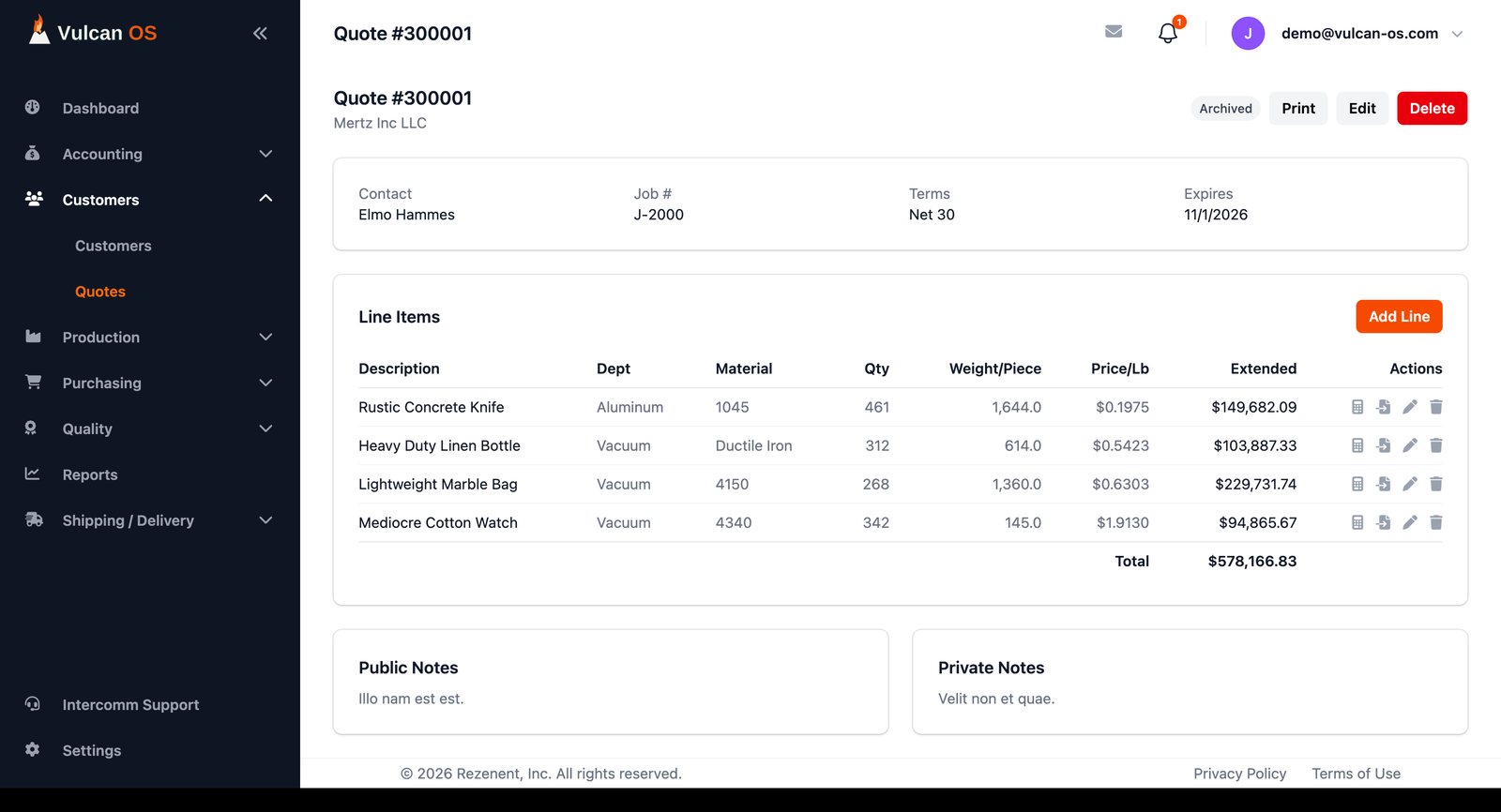
Price work line by line, print it for the customer, and when the quote is accepted turn a line into a work order without retyping a thing.
- Line-item quotes. Department, process, material and specification come from pick lists, with pricing worksheets that carry the full job cost.
- Printable quote PDFs. A clean customer-facing document, one click away.
- One click to a work order. Convert any quote line into a pre-filled work order. Process and alloy are matched to your own records by name.
- Customers, parts and vendors. Contacts, billing and ship-to addresses, parts, purchase orders, payment terms and credit limits, with a default carrier per ship-to address.
Work orders
A work order that always knows what happens next
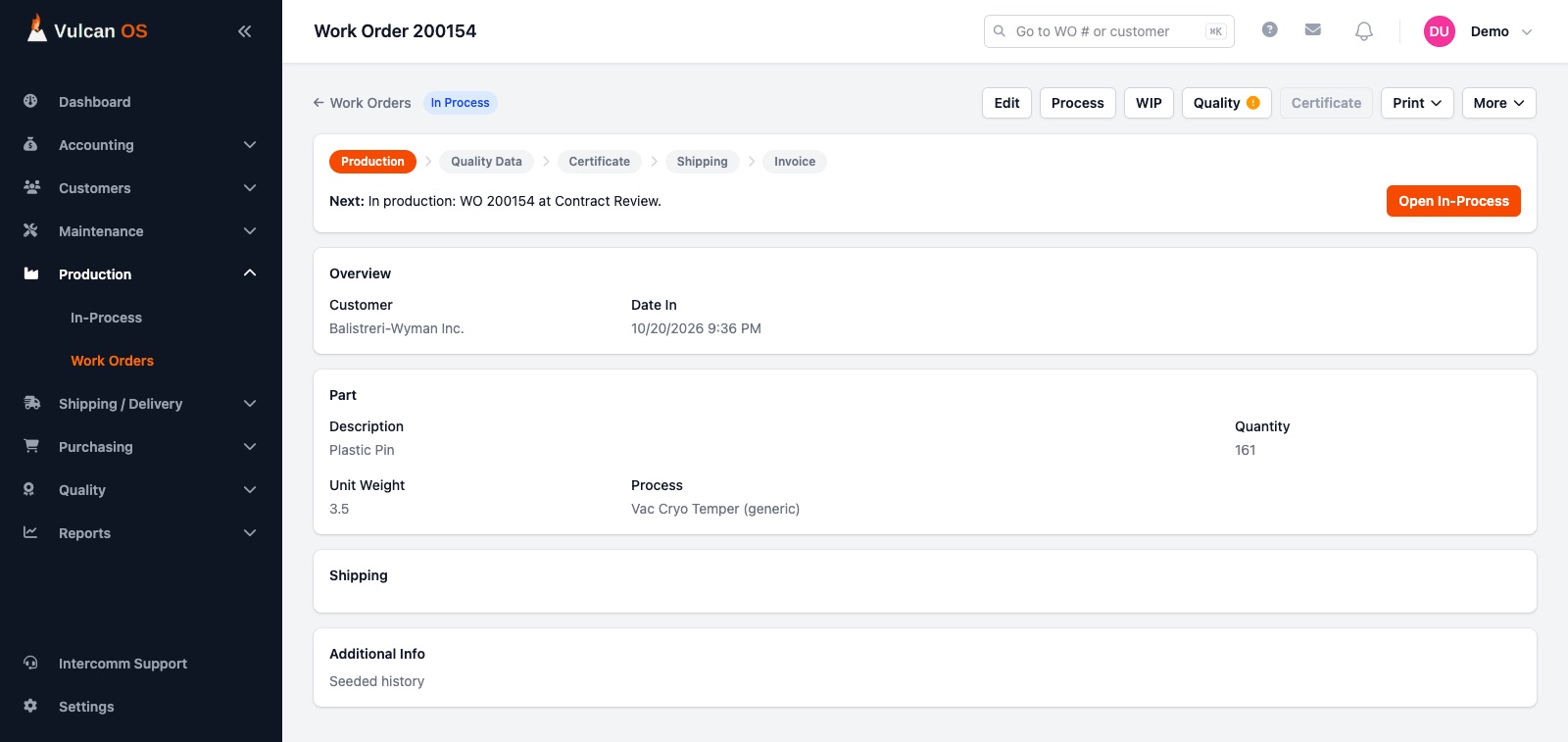
Every order follows its process routing, and a progress strip shows exactly where it stands and the single next thing someone needs to do.
- Five-stage progress strip. Production, quality data, certificate, shipping and invoice, with one clear "Next" action and a button that takes you there.
- Status that updates itself. Status is worked out from what actually happened: steps finished, loads shipped, invoices raised and paid. People only set On Hold, Cancelled or Scrapped.
- Per-order step changes. During Contract Review, adjust a step's description, work center and instructions for one work order without touching the shared routing.
- Priority, promised dates and labels. High and Expedite jobs stand out on the floor, and container and pre-ship labels print straight from the order.
Shop floor
Run the floor from one In-Process screen
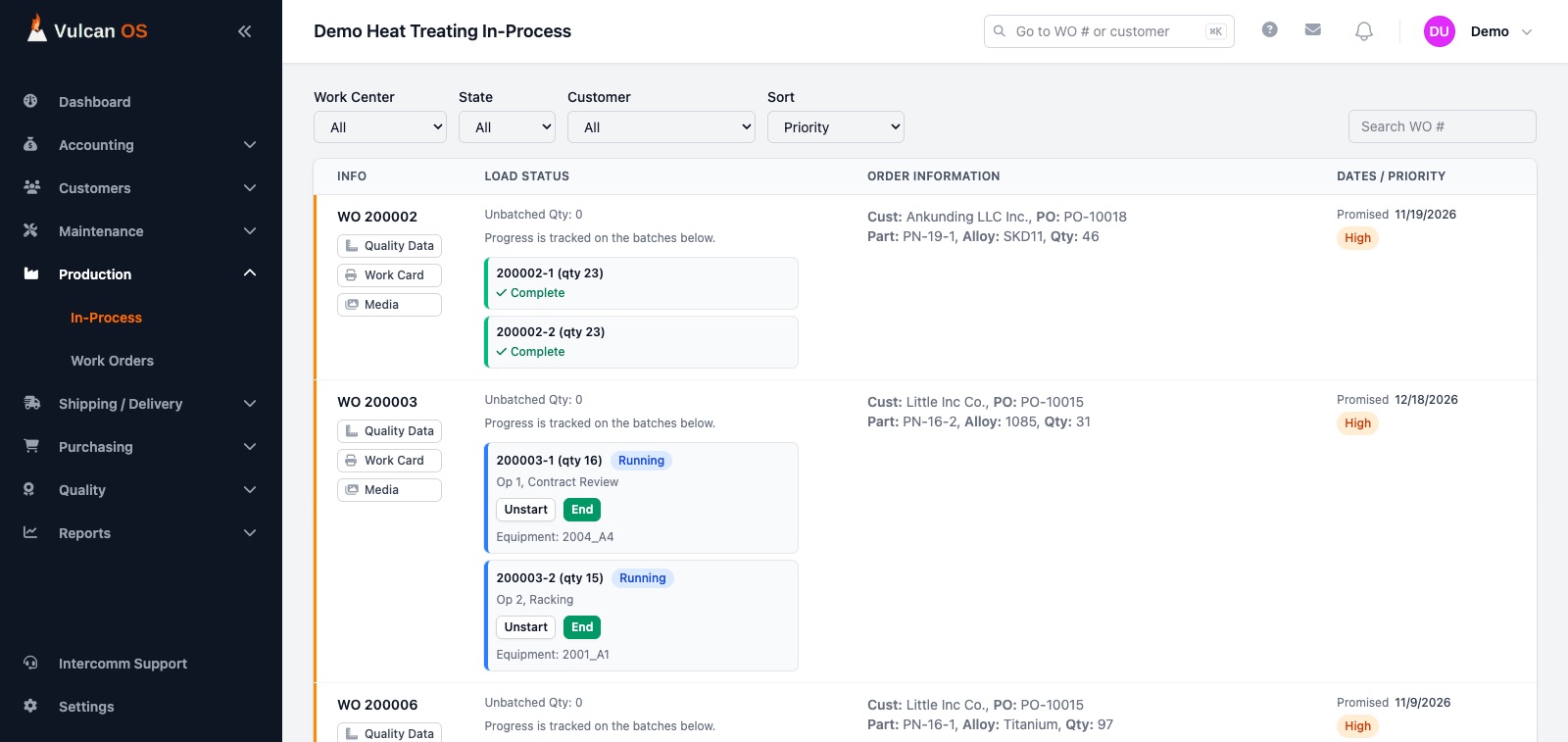
Operators start and end steps, split loads, pick equipment and see what is blocking them, all from the screen they already work in.
- Start and End. Every load shows Waiting, Running or Blocked. A blocked load says why, in plain words, before anyone wastes a trip.
- Batches. Split an order into smaller tracked loads (like 200034-1) that move through the remaining steps independently.
- One Start window. Choose the furnace or equipment, split batches and adjust steps in a single window, with calibration warnings when equipment is out of date.
- Barcoded work cards. A routing card PDF per load, with a barcode for the load and every step, instructions, control plan checks and process photos.
- Live everywhere. Every screen updates the moment someone starts, ends or records a result, with no refreshing.
Work in process
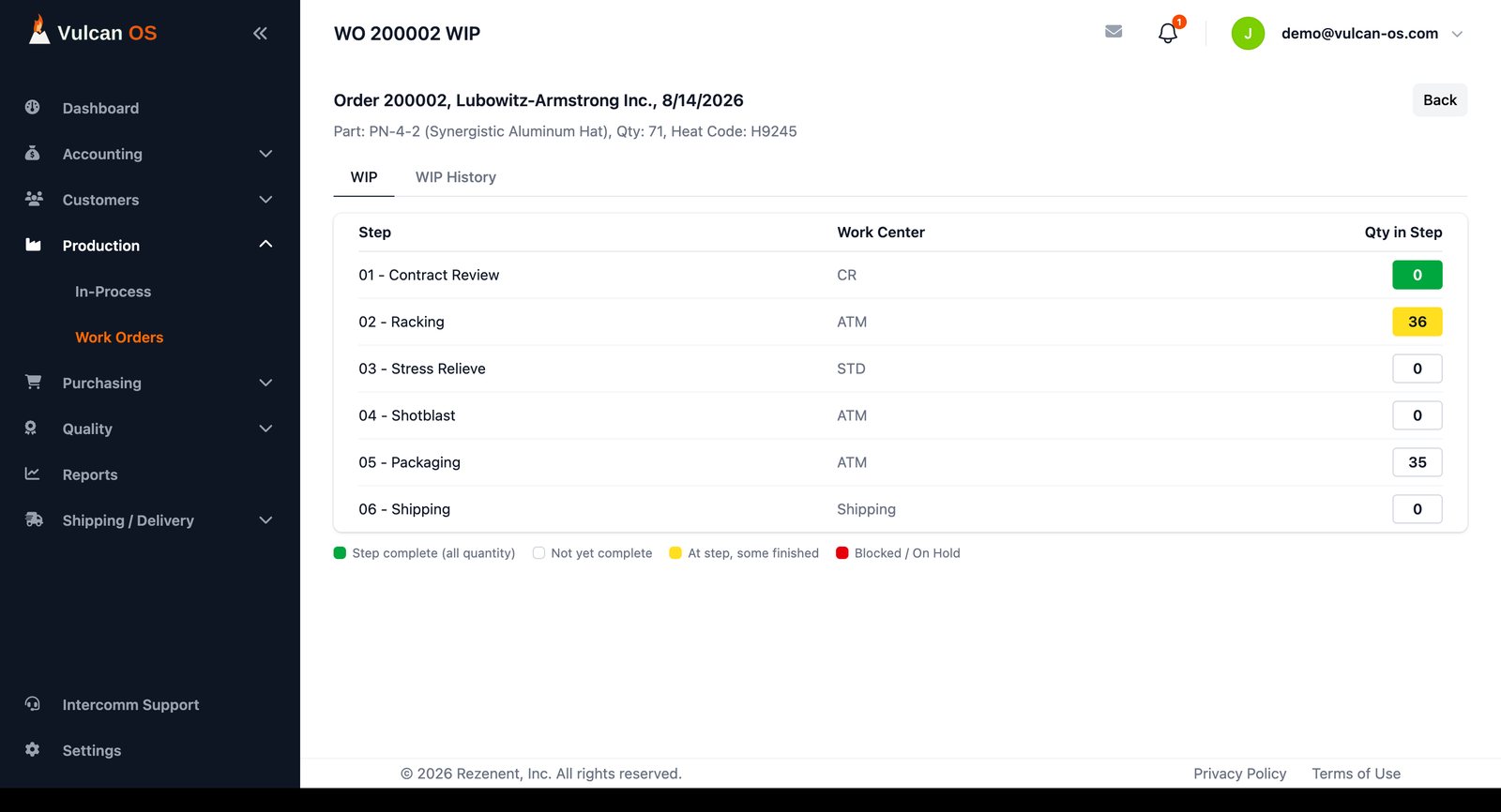
Know exactly where every part is, and how it got there
A live snapshot shows every routing step at a glance, and a complete history records every load's journey.
- Color-coded WIP. Green when the whole quantity has finished a step, yellow when some has, red when the order is on hold.
- WIP History. A per-load audit trail of who started and ended each step, when, and on which equipment.
- Planned process values. Set temperature, soak time, atmosphere, vacuum, quench and delay limits on each step. Every change is logged.
- Furnace chart sign-off. Quality records the chart reference for each run, who accepted it and when.
Quality and certificates
Certificates built from measured data, not retyped
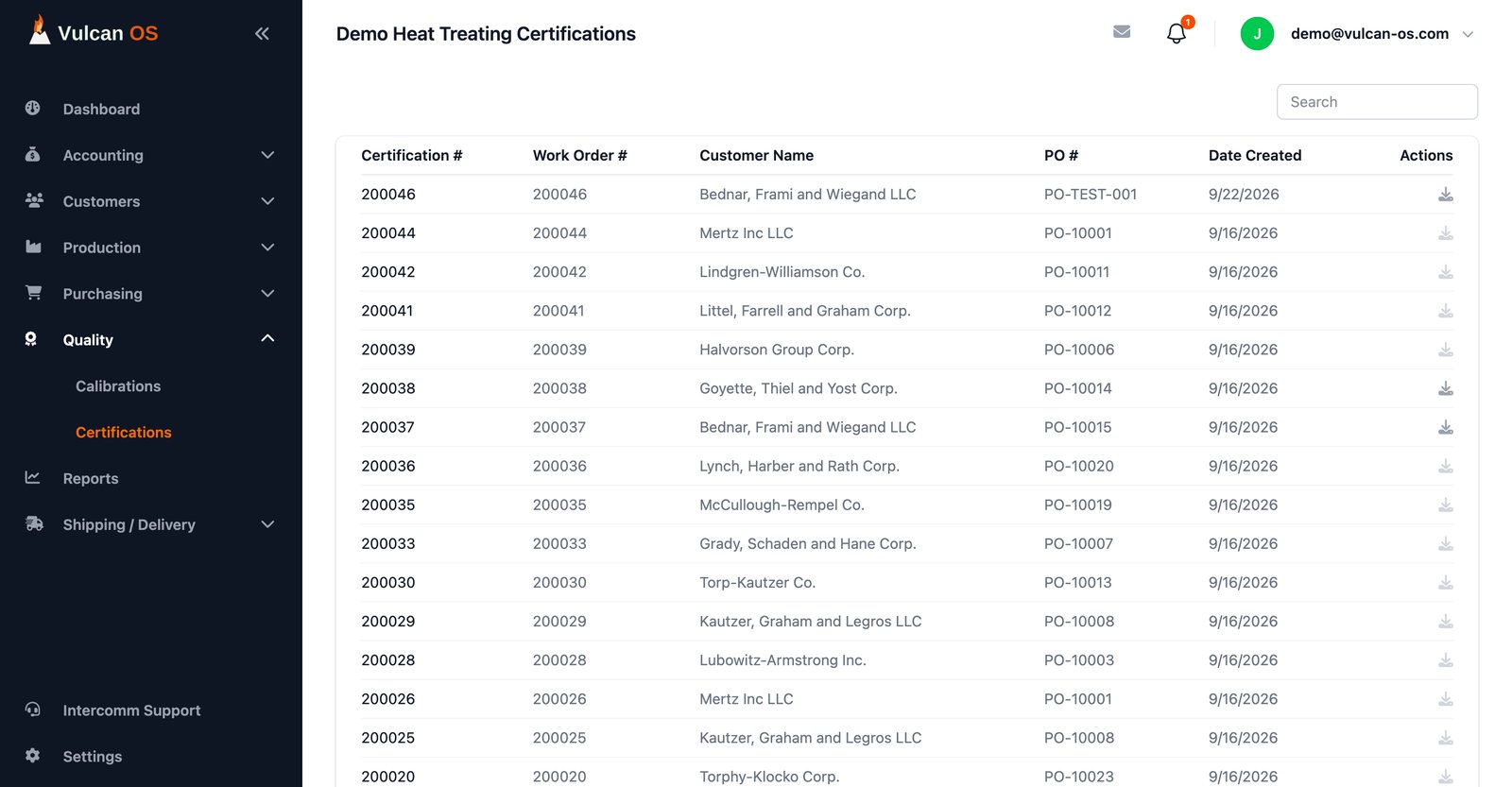
Control plans define what to measure. Results are recorded per load, and the system refuses to let uncertified work move on.
- Control plans and sampling. Characteristics, minimum sample sizes and optional checks come from the part's and the process's control plans.
- Out-of-spec handled properly. An out-of-spec result needs a noted approval from someone authorized, or a recorded customer concession. Deleting a result needs a reason and leaves a log.
- Built-in quality gates. A load can't finish its last inspection until its results are complete and acceptable, and nothing reaches shipping without a certificate.
- Certificates of conformance. Generated as a PDF from the measured results, including approvals and concessions.
- Calibrations. Log hardness tester verifications against your test blocks and keep an auditable history. Equipment past due warns the operator.
- NADCAP flags. Mark NADCAP work orders, processes and equipment so the right jobs are easy to find.
Shipping
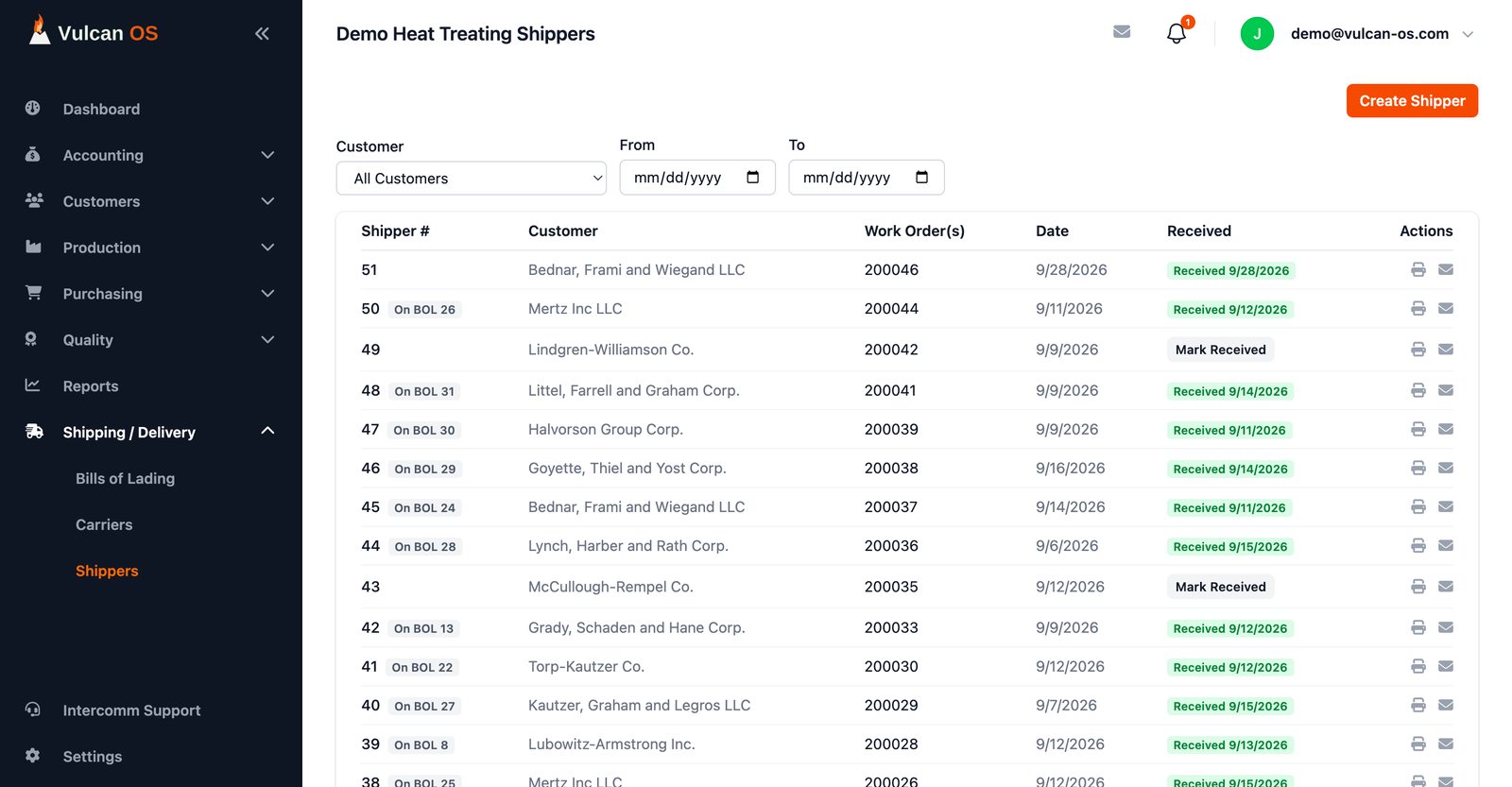
Ship certified loads, track receipt, bill with confidence
Shippers are created from loads that are ready and certified, so nothing leaves the building by accident.
- Partial and full shipments. Ship what is ready now and the rest later. Each shipper records its quantity, and the work order status follows.
- Receipt tracking. Mark shippers received when the customer confirms.
- Bills of lading. Combine a customer's in-transit shippers into one bill of lading.
- Carriers and documents. Default carriers are preselected from the ship-to address, and shippers and bills of lading print or email as PDFs.
Invoicing and profitability
From shipment to cash, and what each job really earned
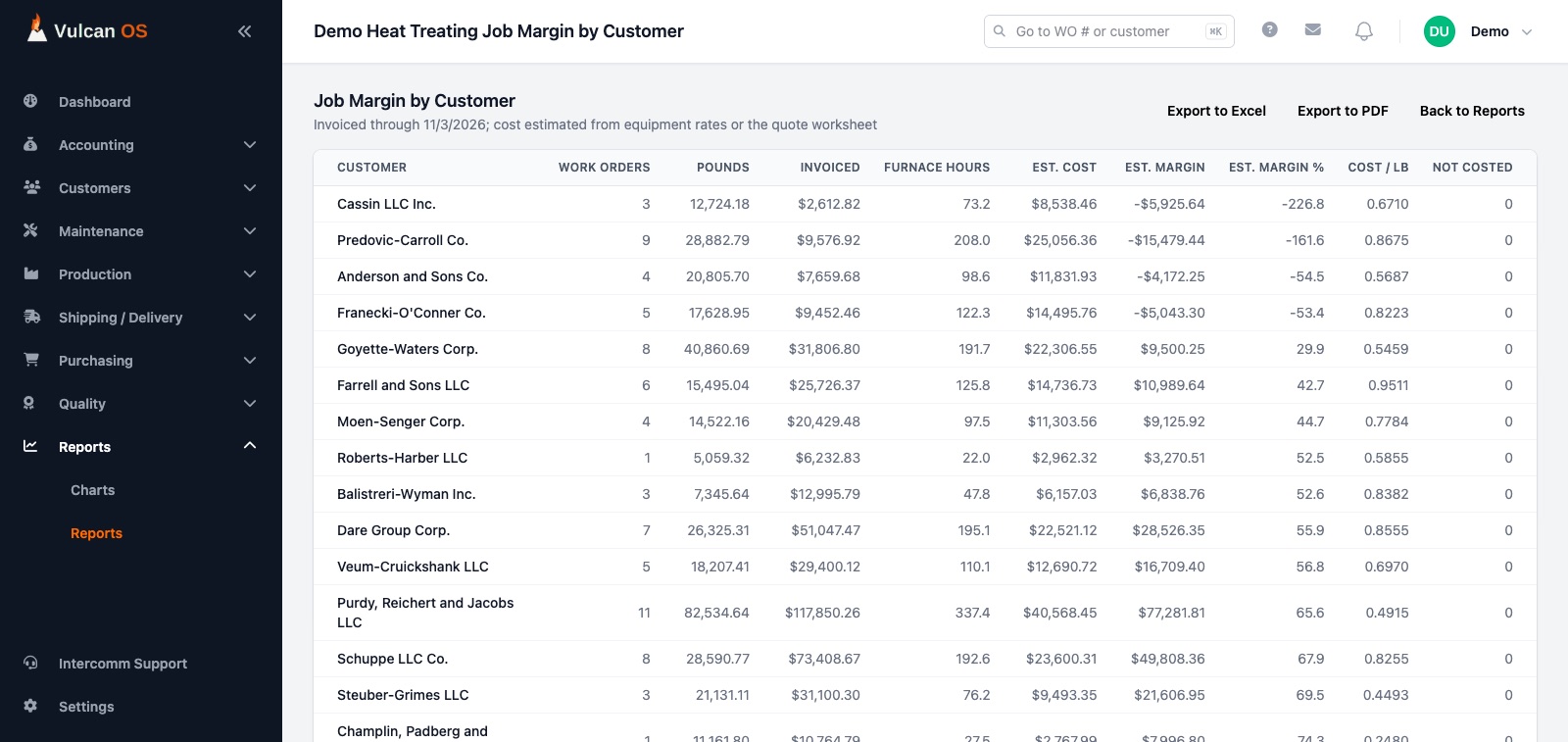
Invoice shipped work, record deposits and see the margin on every customer, process and work order.
- Invoices. Create, approve and email invoices to customers, with deposits, transactions and payment terms.
- Cash reports. Aged trial balance, days to pay, credit limit exposure, and earned-but-not-collected.
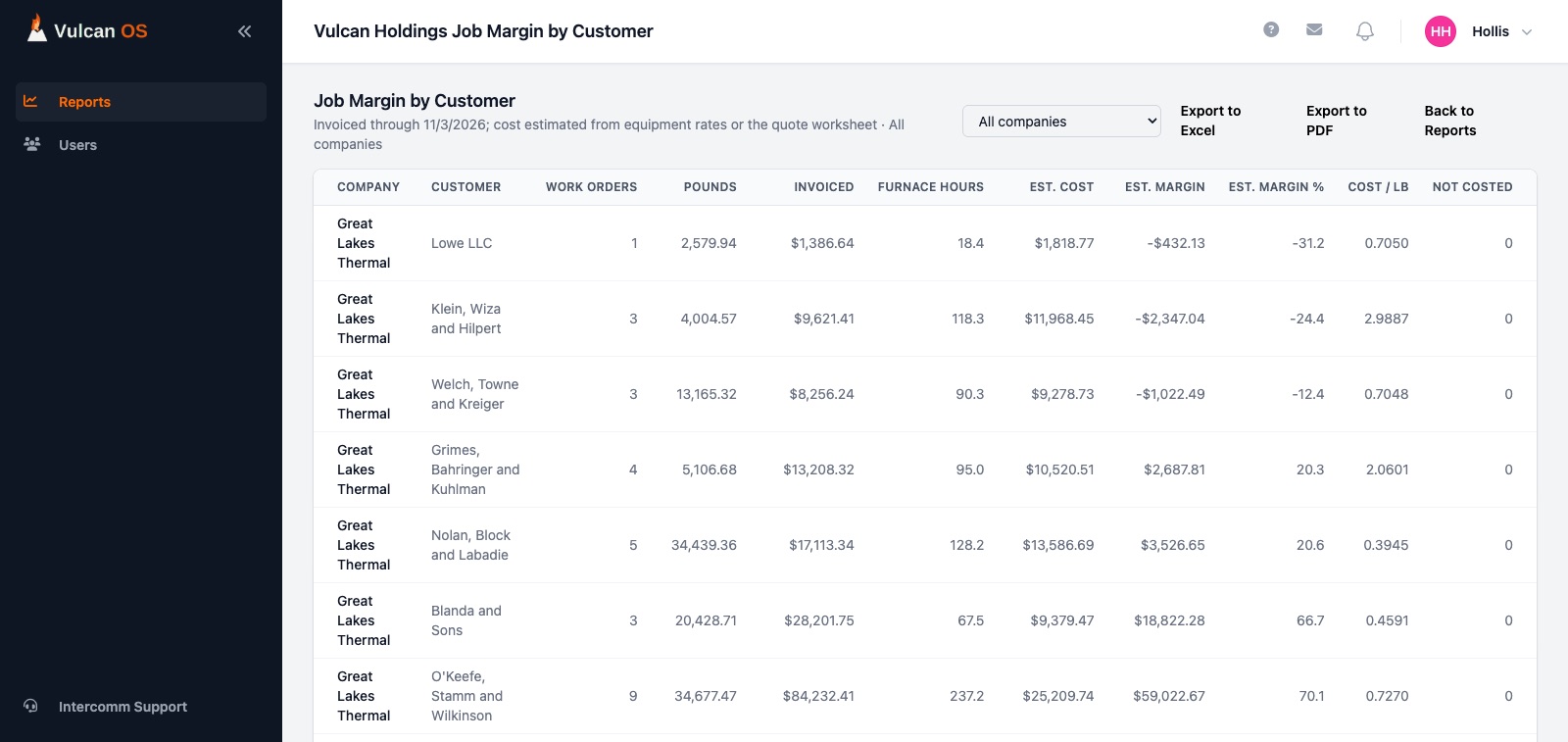
- Job margin. Estimated cost from your equipment hourly rates or the quote worksheet, against invoiced revenue, by customer, process, month or work order.
- Real costs. Enter monthly costs by cost center for a cost center P&L and an energy surcharge recovery report.
Dashboards and charts
A dashboard that tells you what needs attention
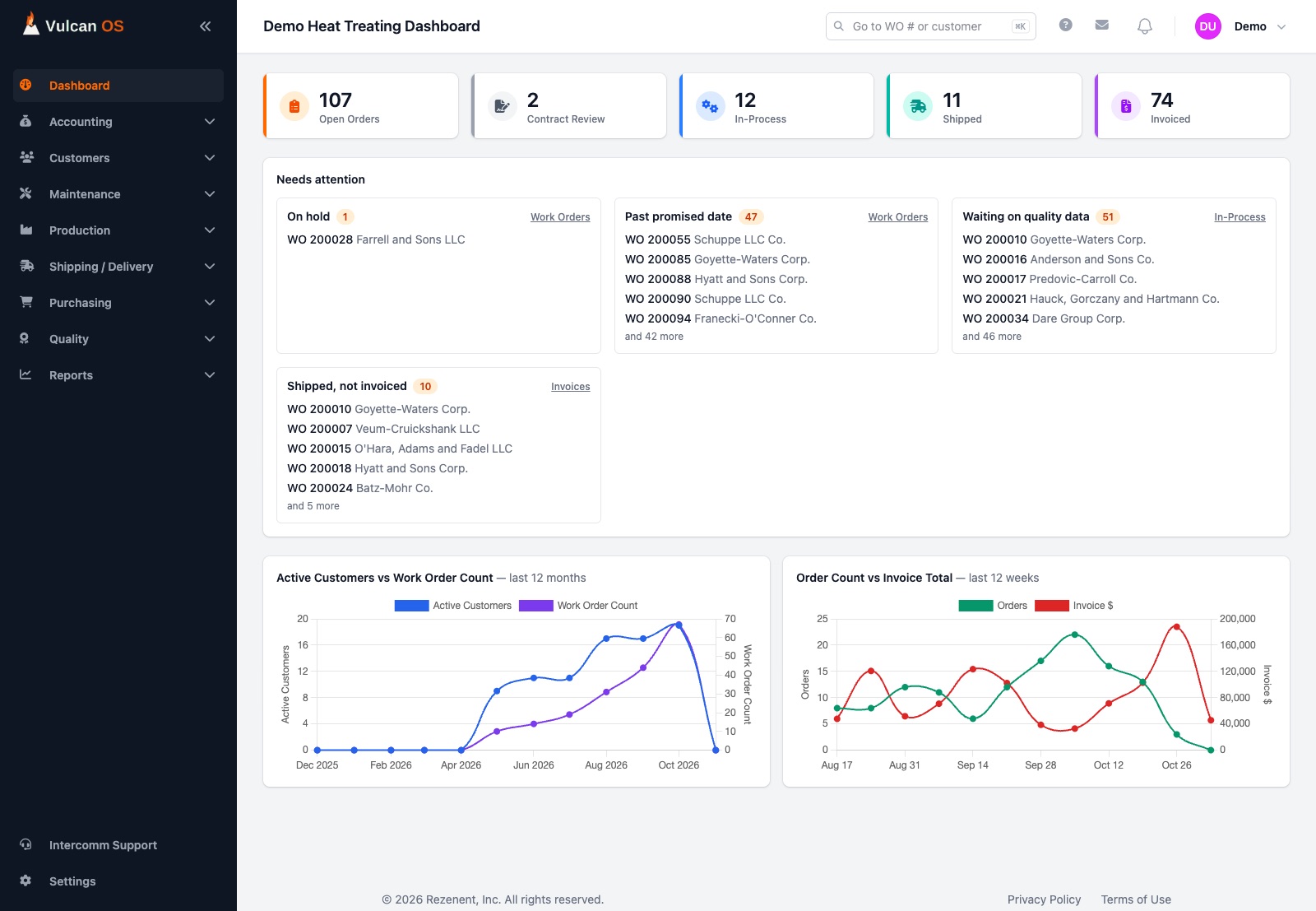
Skip the hunting. The dashboard lists what is on hold, late, waiting on data or ready to bill, and links straight to it.
- Needs attention. On hold, past promised date, waiting on quality data, ready to invoice and shipped-but-not-invoiced, each with the orders named.
- Live KPIs. Open orders, contract review, in-process, shipped and invoiced counts, plus trend charts.
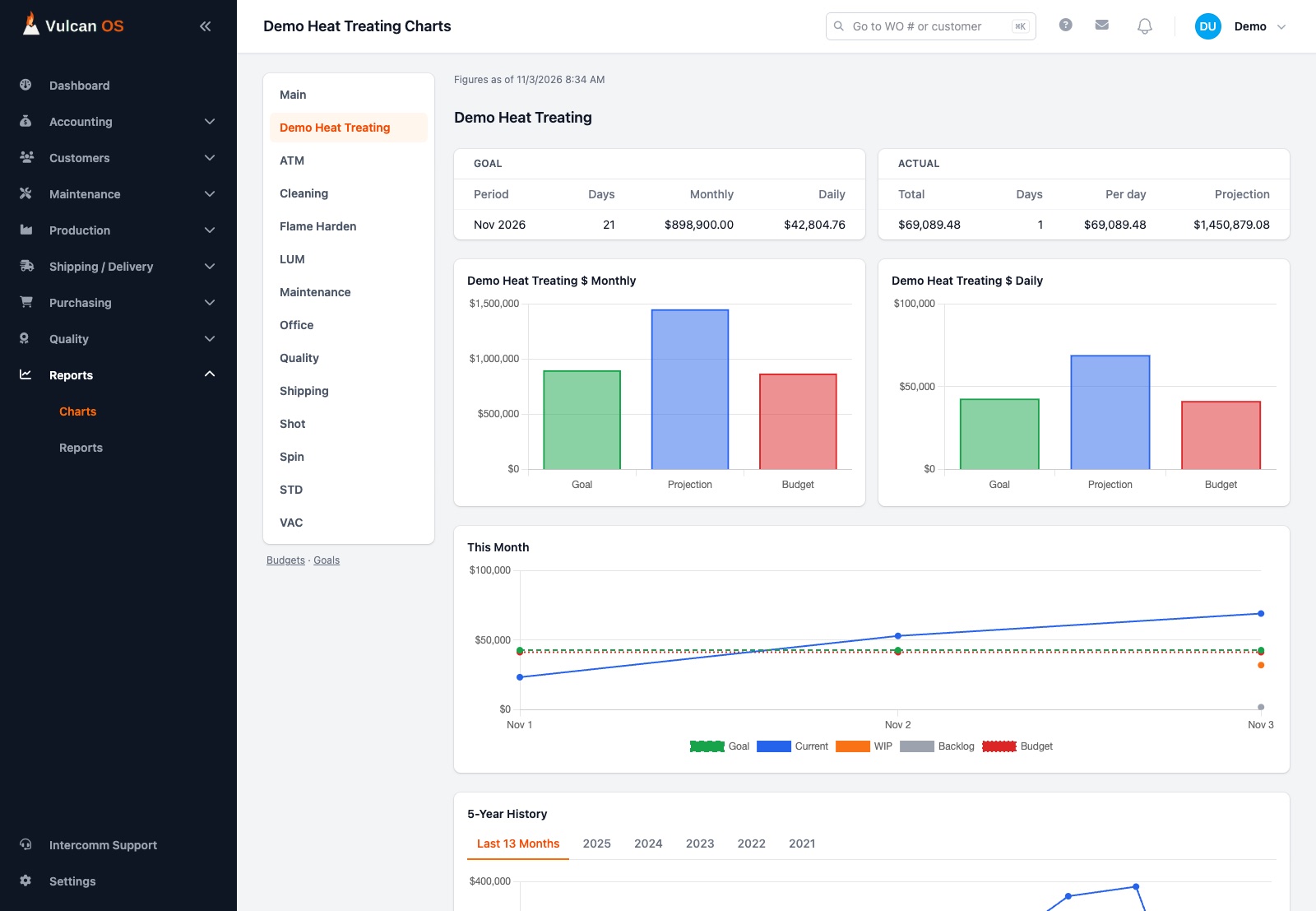
- Goals and budgets. Set monthly goals and budgets by cost center and watch revenue, work in process and backlog against them.
- Maintenance chart. Technician hours against available time, by person and by equipment.
Reports
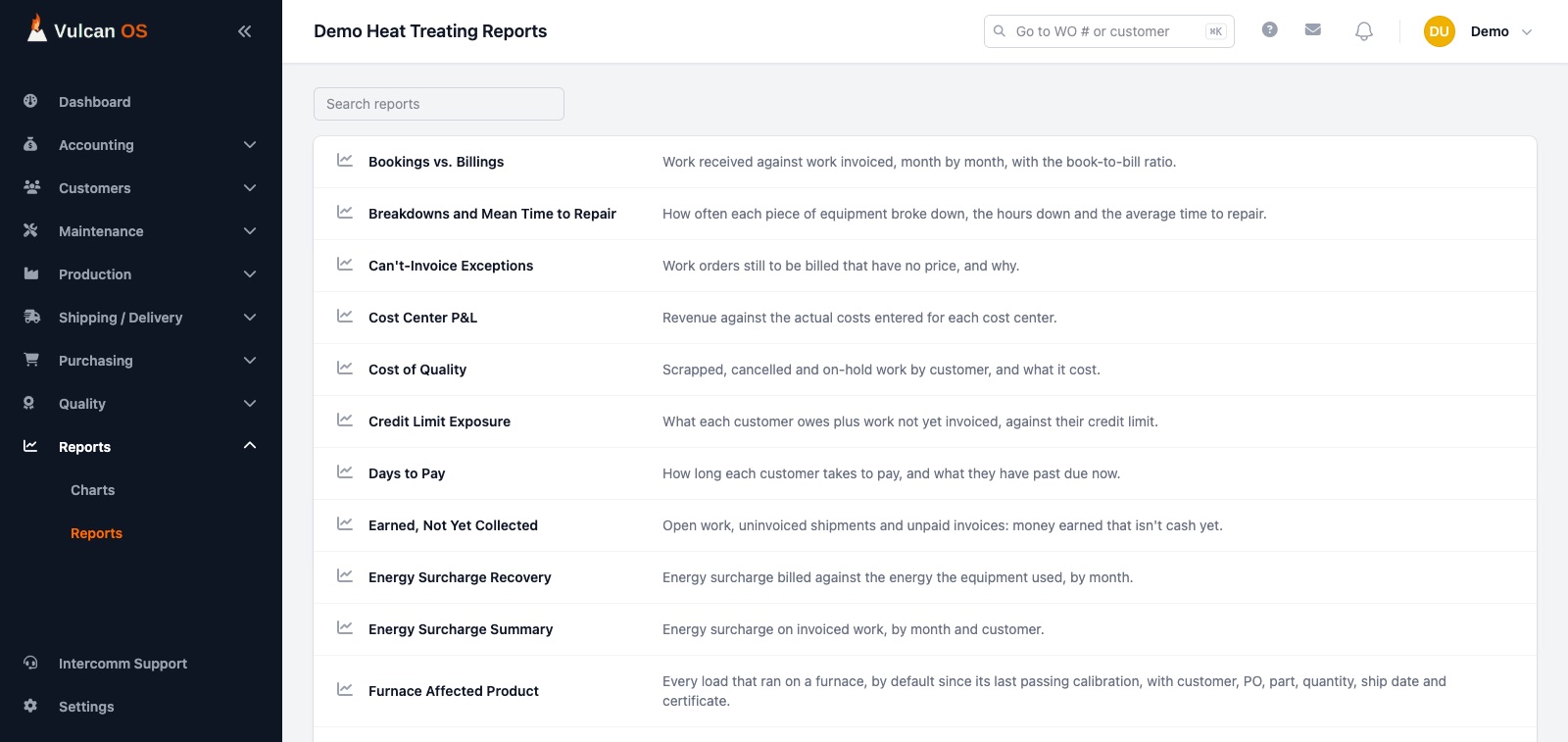
More than 40 reports, ready to run and export
Pick a report, choose the dates and run it on screen, to PDF or to Excel. Adding a report doesn't need a new screen.
- Financial. Open orders, backlog, ready to invoice, sales by customer and sales person, bookings vs. billings, and more.
- Production and equipment. Revenue by process and by equipment, furnace hours by customer, utilization, WIP value and small lots.
- Quality. Furnace Affected Product lists every load that ran on a furnace since its last passing calibration, with customer, PO, part and certificate.
- Profitability. Job margin, quoted vs. actual, price realization and cost of quality.
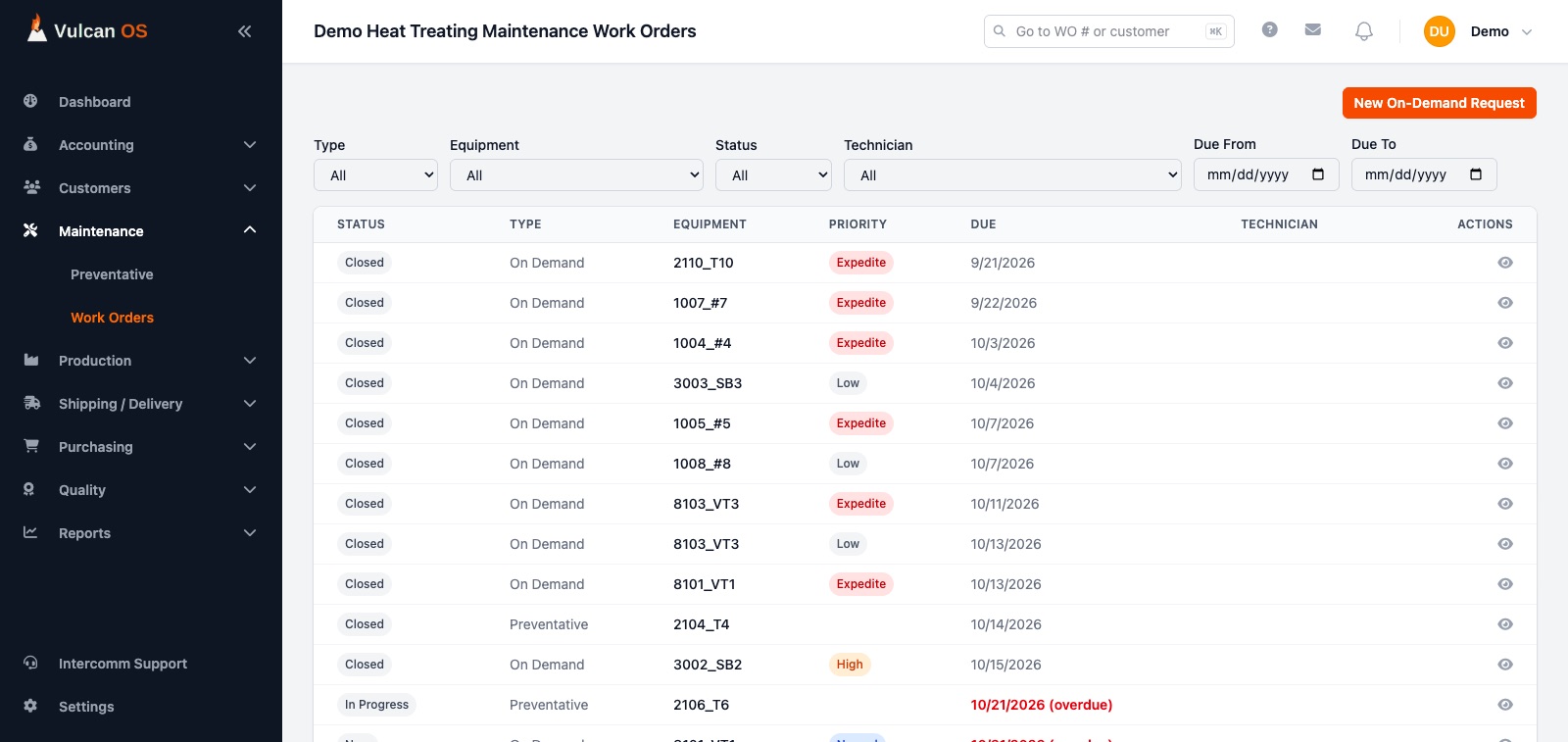
Maintenance
Preventative maintenance that schedules itself
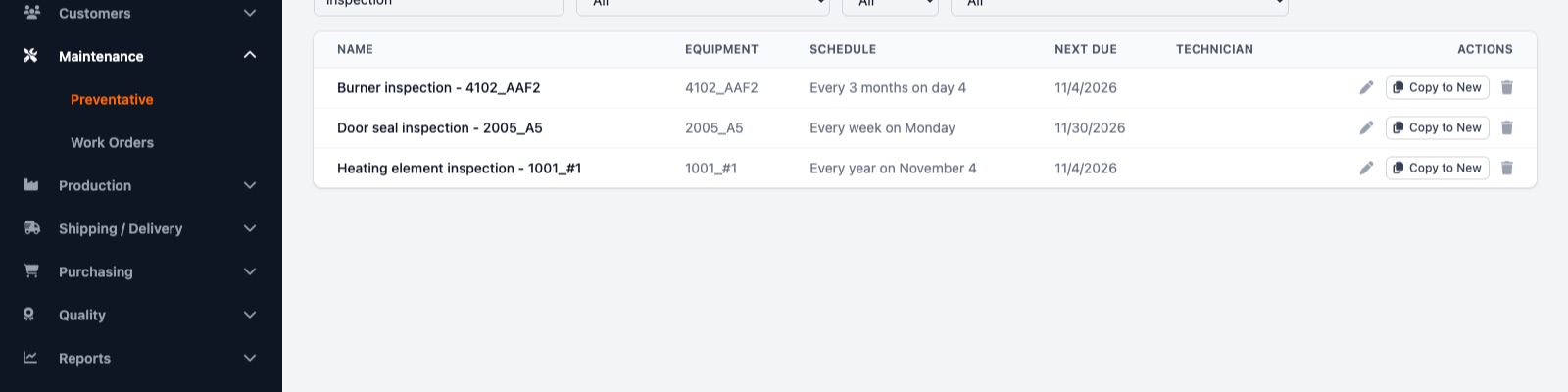
Define the recurring work once. Vulcan OS creates the work order when it comes due and keeps the history, the cost and the downtime.
- Repeat schedules. Weekly, monthly, quarterly or yearly, with services, an account, a technician and rich-text instructions. Search and filter the list.
- Work orders created for you. A work order appears when a task comes due, one per due date, however many days were missed.
- On-demand requests. Report a breakdown with a priority and notify supervisors of an outage by email. They hear again when the equipment is back.
- Costs and downtime. Log parts and outside vendors against each order and see downtime, mean time to repair, compliance and cost by equipment.
Groups of shops
Run several facilities, and see them together
A parent company reports across its shops without ever touching their day-to-day data.
- Combined reports. Run any report across every child company, with a Company column and combined totals. Filter to a single shop any time.
- Separate and secure. Each company's data stays its own, and a parent's users see reports only.
- Switch company. People who work at more than one company choose which to sign in to.
And the details
The small things that keep a shop moving
Screenshots show a product preview with sample data. The final product may differ.
Roles that fit a shop
Admin, Contract Review, Supervisor/Sales, Production, Maintenance and Accounting, each with its own menus.
Invite by email
Invite your team and assign a role. Every company's data stays separate.
Messaging and notifications
Message coworkers and send company-wide notices without leaving the app.
Undo for deletes
Deleted records are hidden, not destroyed, and most deletes offer an Undo.
PDF and Excel everywhere
Quotes, certificates, shippers, bills of lading, work cards and reports all export.
Fast search
Jump to a work order, batch or customer from the top bar, and search the lists.
Interested? Let's discuss.
We'd love to hear about your shop and show you what Vulcan OS can do.